
A central wireless hub that gives your cameras a smart overhaul, the Tapo H500 Smart HomeBase helps turn a house full of smart devices into a truly smart home.
Considering there’s a smart home gadget for every task and occasion, it’s easy for things to spin out of control – forcing you to constantly jump between apps and services to stay on top of things.
Rather than always taking a best-of-breed approach across a dozen vendors, there’s a lot to be said for consolidating your smart home investments to a few key ecosystems.
Especially if those ecosystems let you take advantage of low-powered wireless protocols like Matter and Zigbee, which are lower-bandwidth but also a lot less power-hungry than Wi-Fi when it comes to draining batteries.
That’s where TP-Link’s $249 Tapo H500 Smart HomeBase comes in. Tapo offers a very diverse collection of smart home gear – from cameras, doorbells and robot vacuum cleaners to lights, power plugs, switches and sensors – making the H500 hub a great potential starting point when unifying your smart home.
Table of contents
Tapo H500 Smart HomeBase first impressions
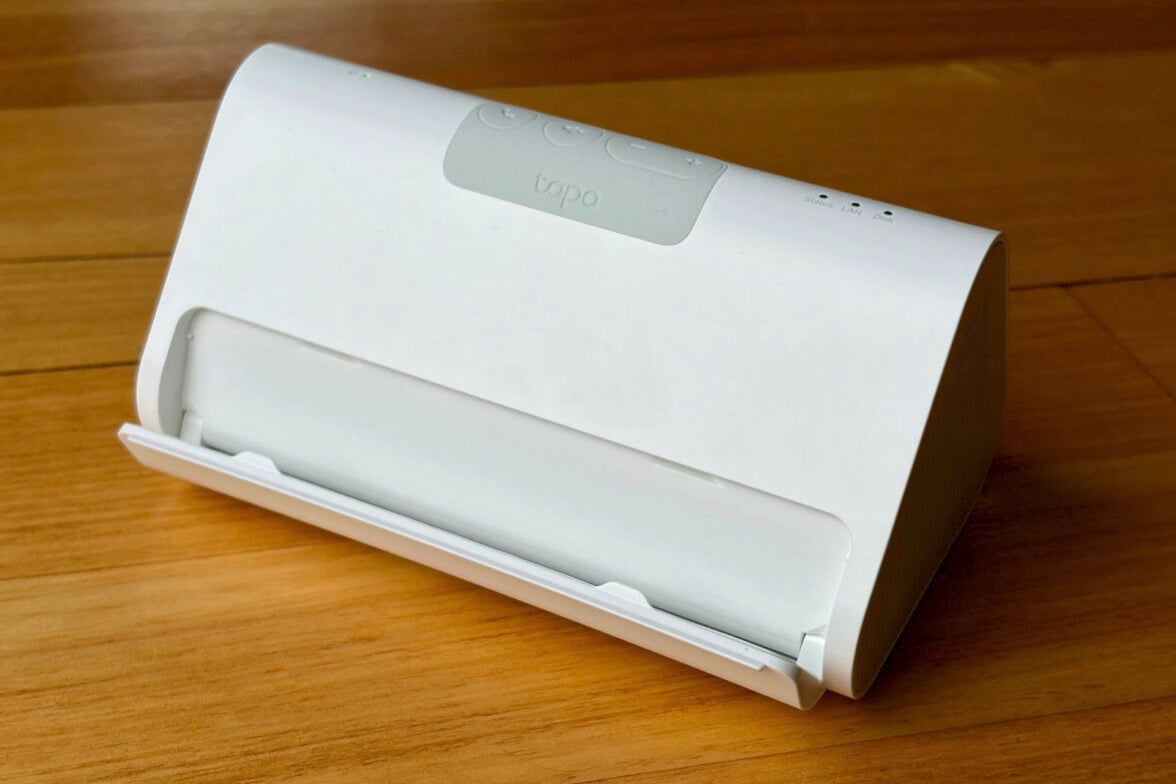
The Tapo H500 Smart HomeBase is roughly the size of a 1-litre carton of milk, lying on its side. The white minimalist design means it won’t look too out of place in most homes.
The H500 hub is small enough to hide out of the way; it just needs access to a power socket. It connects to your home 5 GHz Wi-Fi network, or you can take advantage of the Ethernet port on the back.
That said, to make the most of the hub, you might want to place it somewhere that’s easy to see and reach – it all depends on how you want to put it to work.
For starters, the H500 is a Matter-enabled wireless hub for connecting to Tapo’s wide range of battery-powered motion, temperature/humidity, door/window contact and water leak sensors. It supports up to 64 sensors around your home.
Requiring a special hub to connect Matter wireless devices is admittedly a hassle compared to using Wi-Fi-enabled smart home gear that connects directly to your Wi-Fi router. I reckon it’s worth the hassle because, in my experience, smart home devices that rely on low-powered protocols like Matter and Zigbee are a lot less power hungry. They’re also a lot more reliable than smart home gear that relies on Wi-Fi.
Case in point: I’ve found controlling Philips Hue’s Zigbee smart light bulbs to be a lot more reliable than LIFX’s Wi-Fi bulbs, and it’s a shame that Tapo’s smart bulbs rely on Wi-Fi rather than Matter.
Keep in mind, you can’t use these Tapo sensors without a Tapo Hub, unlike some Matter sensors, which can connect directly to a third-party device like a Matter-enabled Google Home speaker. In theory, you should be able to connect third-party Matter devices to the H500 hub, but Matter interoperability can still be hit-and-miss.
To be fair, the $249 Tapo H500’s price tag and feature set is overkill for your needs if you’re just doing something simple like setting up water leak detectors – as I did recently after two burst water pipes flooded the house in the space of 12 months.
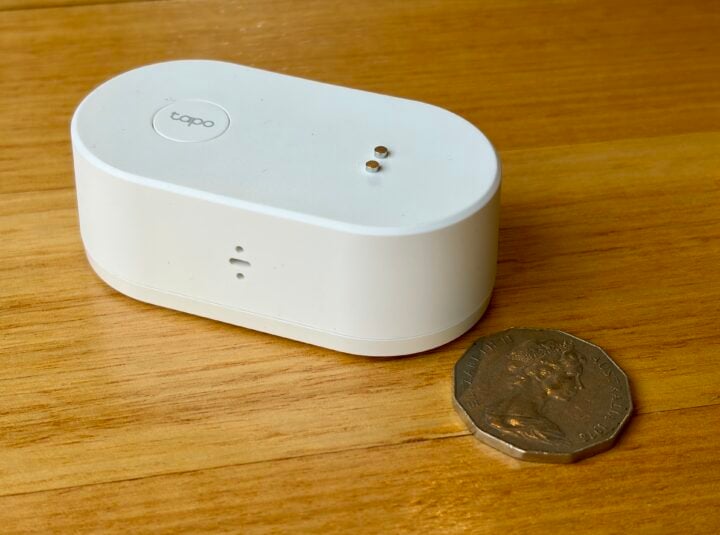
Thankfully, if you’re just juggling a few Tapo sensors, you can opt for Tapo’s cheaper H100, H110 or H200 Matter-enabled hubs.
TP-Link says the H500 hub has a 15-metre range when connecting to sensors, while the cheaper hubs don’t reach as far (they don’t cite an exact range figure). From my testing, I’d say 15 metres is conservative.
With the H500 hub installed upstairs at the front of my house, I could still get a weak signal from a Tapo T300 water leak sensor placed 20 metres away in the backyard (forcing the signal to pass between several walls and floors).
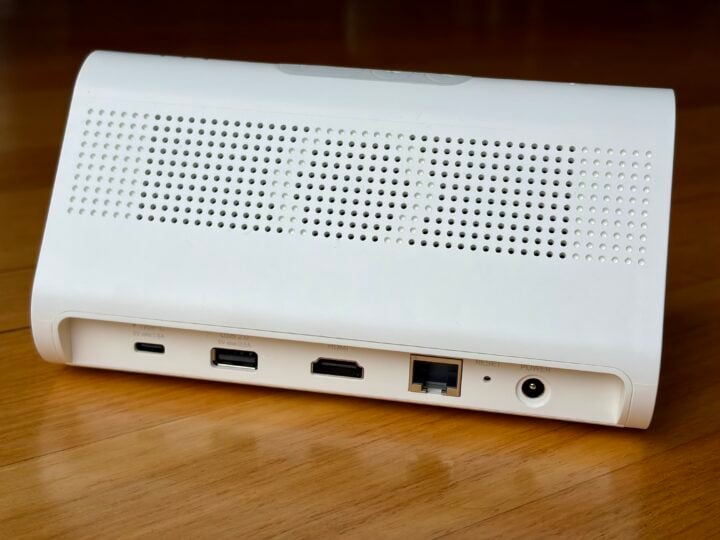
The H500 is pretty bulky for a hub, because it’s actually so much more. On the back, you’ll find USB Type A and C connectors, along with Ethernet and HDMI, hinting at the extra features that lie within.
Tapo H500 Smart HomeBase specifications and price
| Onboard storage | 16 GB optional SATA HDD/SSD optional USB |
| Connectivity | Ethernet 10/100 – to router Wi-Fi 5 GHz – to router Wi-Fi 2.4 GHz – to Tapo cameras Matter – to Tapo sensors |
| Ports | Ethernet 10/100 USB-A USB-C HDMI |
| Dimensions | 160.20 x 98.82 x 83.21 mm |
| Weight | 620 gm plus optional HDD/SSD |
| Price | $249 RRP |
| Warranty | 1 year |
| Official website | TP-Link Australia |
Features
Beyond connecting Tapo’s wireless sensors, the Tapo H500 Smart HomeBase is also a control centre for Tapo’s home security suite of smart indoor/outdoor cameras, doorbells, baby monitors and smart locks.
This includes acting as both a doorbell chime and a doorbell intercom. There are media controls on the top of the unit, but, surprisingly, they’re for making intercom-style calls between hubs and cameras, not for responding to the doorbell.
When it comes to keeping your home safe, the hub features a 110 dB siren to help scare off uninvited guests.
The H500 is also a Network Video Recorder (NVR) for storing recordings, acting as the command centre for your cameras, even if your internet is down. There’s also the option to connect Tapo’s Wi-Fi cameras directly to the hub, rather than going via your Wi-Fi router.
The hub features 16 GB of built-in storage for video clips, plus room to slot in a 2.5-inch SATA HDD/SSD, up to 16 TB. You can also connect USB external storage, which can be used for storing video and sharing files around your home.
All of this means the Tapo hub provides local video storage for up to 16 Tapo cameras around your home, offering remote access without the need to pay for the cloud. Alternatively, Tapo also offers a cloud subscription service, like most other camera makers.
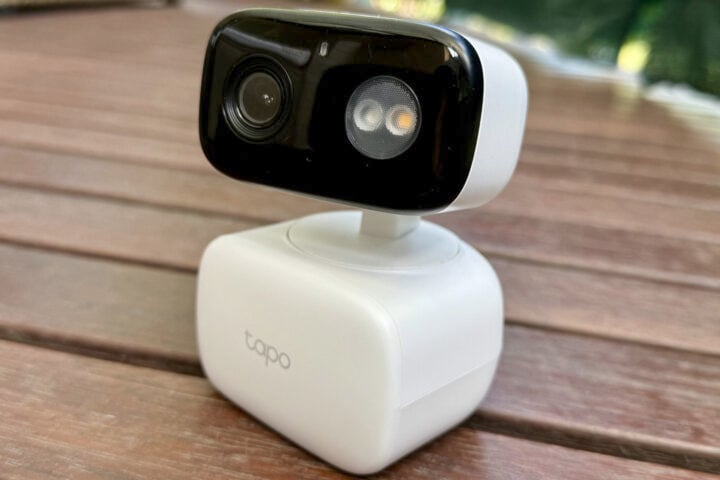
Beyond storing camera footage, the hub can also power AI image recognition to make your Tapo cameras smarter, such as the Tapo C206 pan-tilt camera and Tapo C460 KIT solar-powered camera.
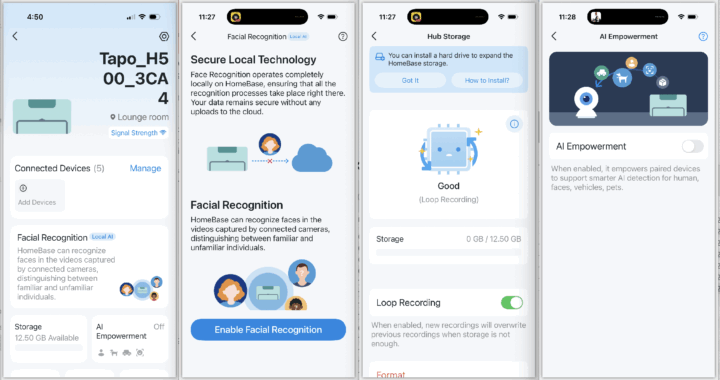
While most Tapo cameras support basic features like motion detection, currently only the Tapo C560WS and Tapo C260 feature built-in face recognition. With the H500 hub, you can upgrade six other Tapo cameras around your home to support facial, vehicle and pet detection – once again, without the need to pay a subscription.
When it comes to facial recognition, you can also search recorded footage based on a particular face, vehicle or pet. The Tapo app can track people between the cameras to offer a detailed playback of how they moved through your home.
Considering the strong focus on home security, one surprising omission from the Tapo hardware ecosystem is a wall keypad to arm/disarm your alarms, such as offered by rival Eufy.
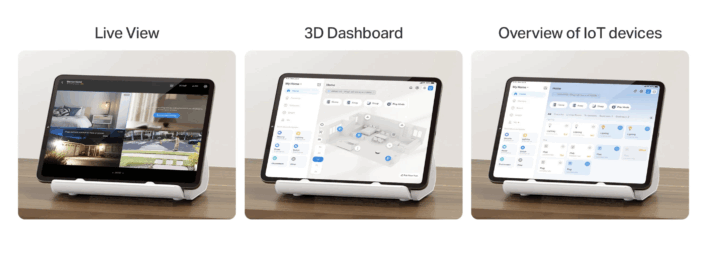
While you can check on your cameras from your smartphone or tablet, there’s also an HDMI video output for connecting the hub to a television/monitor to see the combined live view from your cameras. Unfortunately, you can only see the view from up to four cameras at once.
Alternatively, you can flip down the shelf on the front of the hub so it can act as a stand for a tablet running the Tapo app (powering the tablet from the USB ports).
Along with video feeds, you can use the tablet to control all your smart devices, similar to something like a touchscreen Google Nest Hub or Amazon Echo Show.
It’s a great way to repurpose an old tablet, but the trade-off for resting a tablet on the hub is that this makes it difficult to access the hub’s intercom volume and end-call buttons controls on top.
One of the strengths of Tapo’s extensive range of smart devices is the ability to configure routines and smart actions. For example, when a sensor is triggered, it can sound alarms, send alerts, activate cameras, turn on lights and drive other smart home actions.
Building on this, the hub is also compatible with Google Home and Amazon’s Alexa if you’d prefer to boss around your home via a smart assistant.
Who is the Tapo H500 Smart HomeBase for?
If you’re all-in on TP-Link’s Tapo ecosystem, then the Tapo H500 Smart HomeBase is likely a wise investment, especially if you’ll make the most of the AI video recognition features and onboard storage to avoid the subscription fees charged by some other smart home brands.
If you’re building a smart home from scratch, the Tapo ecosystem is certainly worth a close look. It offers a broader range of smart home devices than most brands, at competitive prices, which is tempting when you want to build a complex, integrated system that won’t break the bank.