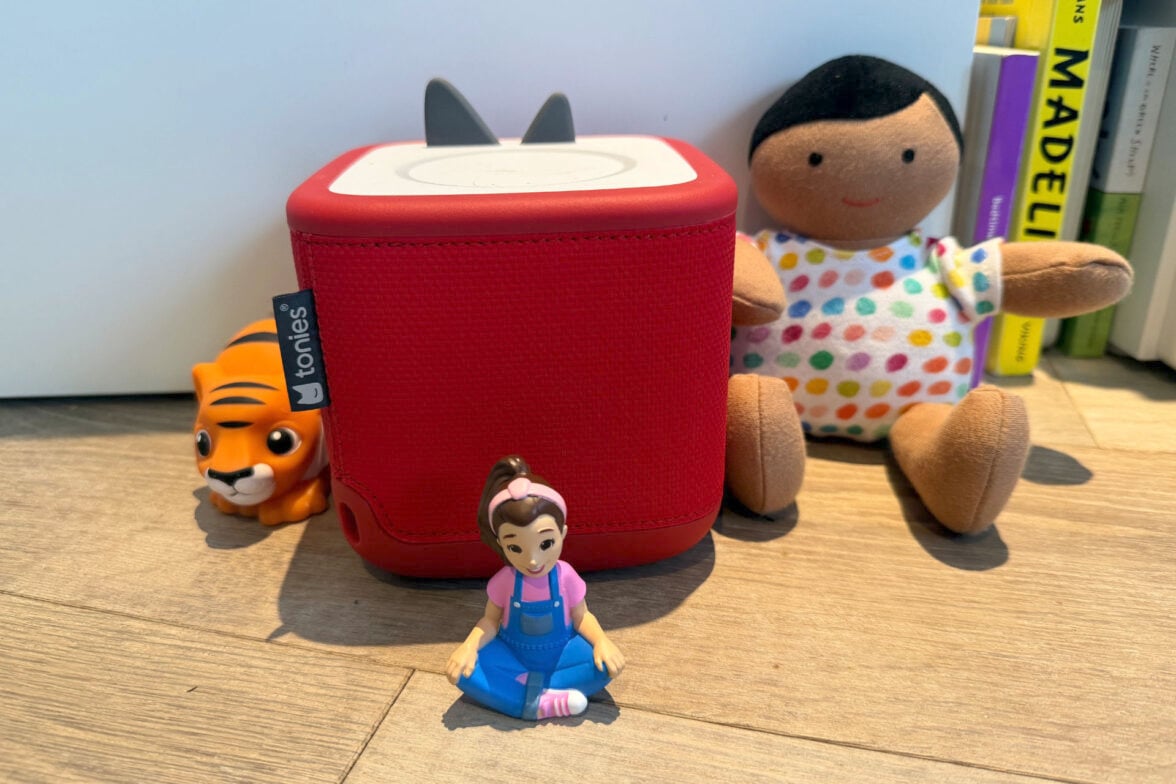

My whole family has been a big fan of the Toniebox since my daughter learned to change the Tonies herself at around 10 months old. It gave her a sense of independence and control over something, and it meant she could pick the music or story she felt like listening to.
With the introduction of the Toniebox 2, her horizons have opened further with Tonies actually designed for her age group, and games that she’ll grow into being able to play. Plus, it charges using USB-C, so I can finally yeet that proprietary charger into the sun.
After using it daily for a few months, here are my thoughts.
Table of contents
- First impressions
- Specifications and price
- Tonieplay
- My First Tonies
- General performance
- Who is the Toniebox 2 for?
First impressions
My first impression of the Toniebox 2 is that it looks softer, more durable, and a bit more designed to survive the rigours of toddler play.
Setting it up was easy: I took it out of the box, charged it up, connected it to my phone via Bluetooth, updated it through the app, and then briefly placed each of my daughter’s Tonies on it so the content would download before I handed it to her.
She then went absolutely HAM playing with all the My First Tonies, before deciding to listen to the deeply depressing story of Finding Dory for the 999,999th time (she loves that it has both fish and hide and seek).
All in all, a relatively quick and painless process.
Toniebox 2 specifications and price
| Product name | Toniebox 2 |
| Price | From $199 |
| Warranty | One year in addition to your Australian Consumer Law rights |
| Manufacturer’s website | Tonies Australia |
| Charging Port | USB-C |
| Battery Life | 8 hours |
| Storage | 32GB |
| Extra features | Compatible with all Tonies, use with Tonieplay Games and Controller, Night light, Alarm Clock, Sleep Timer, Bluetooth and Wi-Fi 2.4GHz and 5GHz |
The biggest difference between the Toniebox 1 and 2 is the introduction of Tonieplay — interactive games that help the device grow with the kid. One other change that isn’t highlighted in the specs is that the Toniebox 2 is more customisable with sleeves. A cynic would say that that’s just another relatively expensive accessory to buy, but as a parent, I appreciate the easy ability to do reversible customisations.
The big glaring omissions to my eye are any kind of IP rating, because anyone who has ever spent time with a toddler knows that being waterproof and dustproof is massively helpful. Also, the inability to loop a Tonie, say as a source of white noise overnight. That seems like a missed opportunity and would be so easy to implement (assuming you could cut off the annoying “heads up, this is a Toniebox original” intro.)
Tonieplay
Tonieplay is the big initiative in this Toniebox sequel. Alongside the introduction of book Tonies (audiobooks), this is how Toniebox hopes to better appeal to older children, as that’s been one of the big criticisms of the ecosystem.
Tonieplay is a new, screen-free, ad-free way to play games or choose your own adventure in a story. The way it works is you put the Tonieplay Game card on the top of the Toniebox 2 with the controller, and then follow the audio prompts. Some will ask you to tap a card onto the Toniebox to confirm an answer, some want you to turn the dial, while others want you to look at a book and then turn the dial.
The mechanics are simple, but it works. There’s a lot of fun to be had here. It’s best suited to fairly simple quiz games and choose-your-own-adventure stories. I haven’t been able to try many Tonieplay games, so I can’t speak to the quality of the games overall, but the tech is solid and a good idea.
My First Tonies
These aren’t really a part of the Toniebox 2 itself, but they were launched alongside the device, so they count. The My First Tonies are Tonies designed for kids aged 1+, as other current Tonies are 3+ or more due to not being designed to be chewed or particularly washable.
As I said, my now 18-month-old has been using Tonies independently since around 10 months, but she still really enjoys these shorter My First Tonies.
She doesn’t enjoy the content as much as the regular Tonies; I think she finds them a bit too simple (usually some animal sounds followed by a song). She generally taps out of the song halfway through and puts on one of her story Tonies. But she loves the actual toys, and they’ve become a staple of playtime.
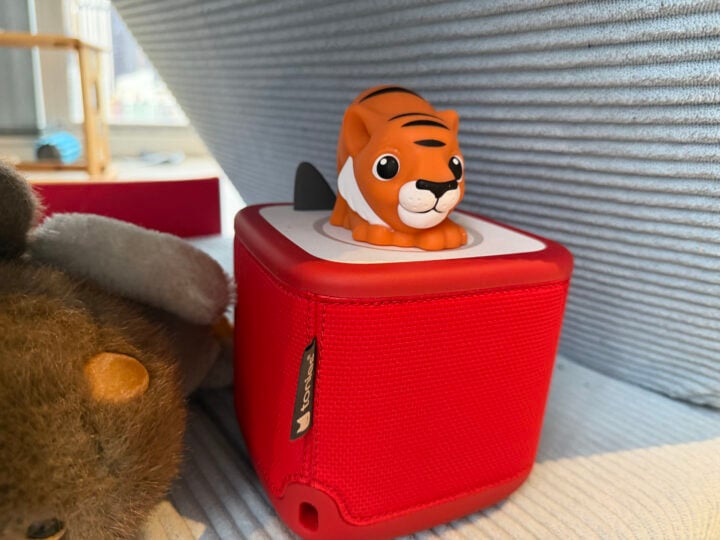
This tiger has eaten a lot of meals with us since the release of the Toniebox 2. It’s seen (and been dunked in) some things. Tiger has been a constant friend, and the horse has also been a big hit. They’re quite washable and (from what I gather) fun to chew when teething. They make a great gift for the young friends in your life.
General performance
There were a few things that really bugged me about the original Toniebox:
- The speaker quality was merely kinda okay. Not great.
- Trying to change tracks required hitting the side of the Toniebox with a force best described as a wallop. Even then, the controls didn’t work consistently.
- The proprietary charging dock is my nemesis.
The Toniebox 2 addresses most of these issues, though it still has some room to grow.
The speaker quality has been greatly improved. It’s not exactly a booming powerhouse, but it certainly conveys the Tonie content better than before.
Changing the tracks on the Toniebox is still not great. There aren’t any buttons, and you still just have to thwack it. But parents who have their phones connected to the box via Bluetooth can control the box remotely now. This is great for changing tracks, as well as adjusting volume or pausing the content from another room, say, after your child has fallen asleep.
Plus, it charges with USB-C now instead of the dock, which makes it infinitely more portable (though it’s really weird that they only included a 10cm cable). The added three hours of battery life (10, instead of the previous 7) is also extremely welcome.
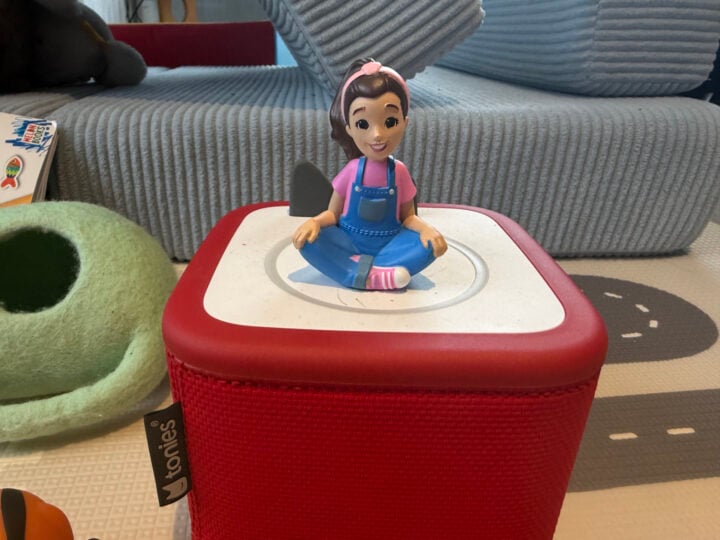
All the old Tonies will work with it, because it’s backwards compatible, making the choice to upgrade easier.
My experience with the Toniebox 2 after months of daily use is that it has all the good features of the original, plus a slew of improvements. I’ve had no errors or issues; Tonies download as quickly as they ever did, and it’s held up to months of rough treatment from an excited toddler who just wants to hear more stories about fish and sing with Ms Rachel.
One downside is that crayon doesn’t rub off as easily as I’d hoped, but it’s nice that kids can (and will, regardless of your opinion on the matter) make it their own.
Who is the Toniebox 2 for?
This is the speaker for kids aged 1-9. Sure, the Yotobox is a great alternative for kids aged 3 or 4-teen, but I love how much play value the Tonies have. Ms Rachel and Emma Memma go on the Fisher-Price Safari train with the Little People figures all the time. Cards aren’t going to go on that kind of adventure. Plus, the placement of figures is more user-friendly for young toddlers than the cards, which can be fiddly. I love how the Toniebox 2 builds independence for my toddler.
This is the gift I would buy as a parent for kids aged 1-6, knowing that they’ll enjoy it until they’re 9 or so. It’s a fantastic toy, and something that I now get for my friends when they have kids.