
School’s nearly back for another year, and it won’t be long until university students flock to campuses (or online lecture theatres) once again. So, what’s the best way to make the most of the new school year? There’s no objectively ‘correct’ way to study, but these apps on the App Store will certainly help along the way.
I’ve used most of these apps myself, and have strong recommendations from friends and colleagues for those that I haven’t. There’s a good mix of apps that help with taking notes, some that help you stay on task, and others that are used by professionals across many creative industries.
Of the millions of App Store listings, these eight apps are great for students across all levels of schooling.
Pok Pok
Aimed at younger children approaching school age, Pok Pok is a Montessori-style app that encourages play through hands-on learning. It’s bright and colourful, designed to engage kids to experiment with different digital toys in a relaxing environment.
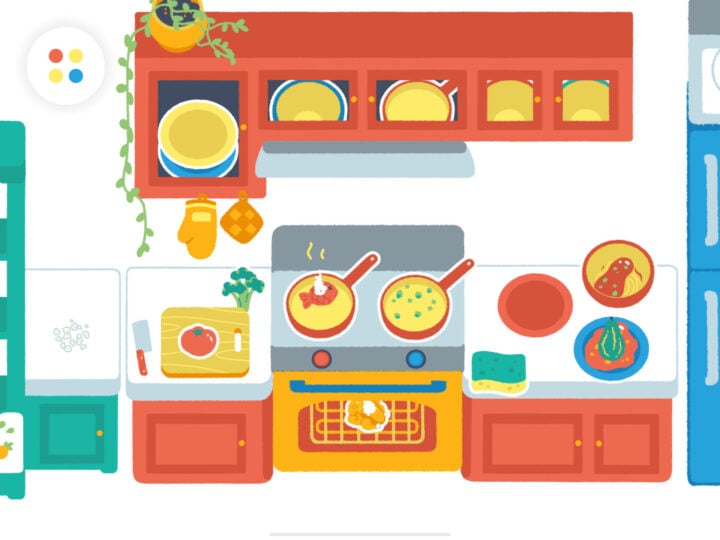
Notably, Pok Pok isn’t designed for long play sessions; it’s deliberately low-stimulation and doesn’t try to get children hooked. It offers a subscription to access the whole suite of toys, or a one-off lifetime purchase, in addition to a free trial.
By creating a low-risk, slow-paced environment, Pok Pok just lets kids play and make their own fun, while learning how objects interact with one another. That’s a welcome change from the instant gratification approach employed by so many modern games and apps aimed at kids.
Notes
I’m a big believer in making the most of a system’s default apps. There are some great note-taking and annotation apps out there, like Goodnotes and Notability. However, a paid subscription is required to access their premium features. If you use them every day, then it’s probably worth it, but Apple’s free default app is excellent.
Fairly rudimentary in its early days, the Notes app has received regular updates, adding more features to the point where it rivals some of the best paid note-taking apps. I use it every day for both work and home life, dumping my thoughts at any moment so I don’t forget them. Because it’s so ingrained in the Apple ecosystem, the synchronisation of notes between my iPhone and MacBook is flawless.
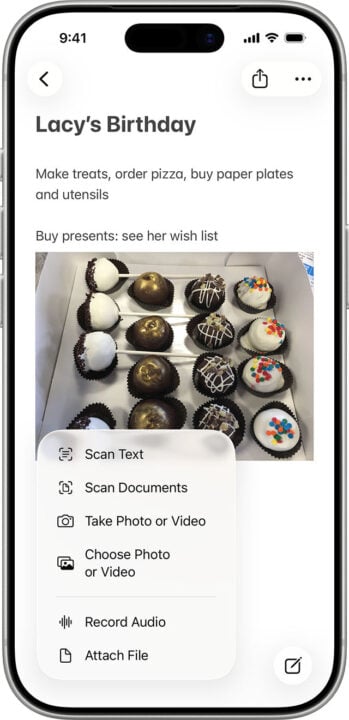
More recently, I’ve taken to dictating notes using my voice, or recording voice memos, which are then automatically converted into written transcriptions. Notes has also improved its ability to annotate PDFs and images in recent years, which was something I relied on Notability for during my uni days.
Who would’ve thought that Apple’s default app was good for more than just making infamous Notes app apologies?
Procreate
Considered one of the best digital drawing tools on the planet, Procreate also happens to be a local success story. Made by the Tasmanian studio Savage Interactive, Procreate is used by professional artists the world over.
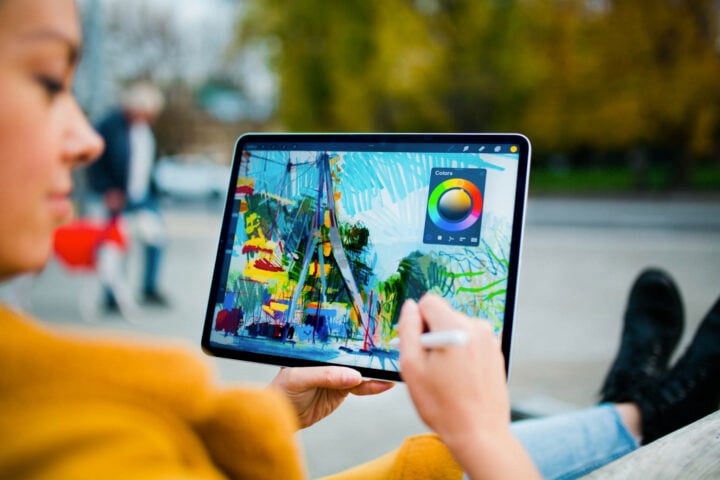
Available on iPhone and iPad, this app is a one-off purchase, which is nice in a world of ongoing subscriptions. Procreate works beautifully with an Apple Pencil, perfect for sketches, paintings, comics, and loads of other digital art projects.
There’s also Procreate Dreams, a 2D animation app that builds on the original static drawing tools. Both apps are affordable, approachable, and powerful, making them great for creatives of all skill levels.
Essayist
Writing a good essay is tough enough, even before you consider formatting your sources and reference list. Winner of the Mac App of the Year at the App Store Awards 2025, Essayist is highly regarded as an “Academic word processor”.
In practice, that means it handles the precise formatting of academic papers better than your garden-variety word processor. Essayist currently supports APA, MLA, Chicago, and Harvard citation formats, covering what most Australian universities use.
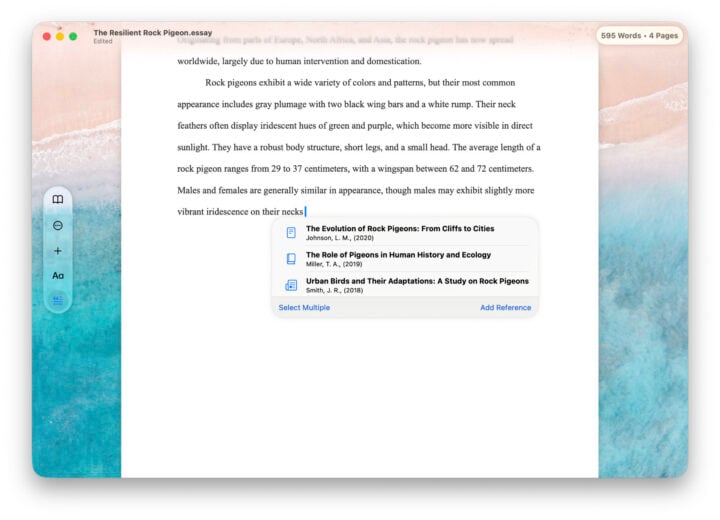
Within the app, you can store a universal reference list, sort references into categorised folders, and insert citations just by clicking a button. It can even convert sources into a correctly formatted reference for you, simplifying what was once a very time-consuming task.
At its simplest, Essayist takes care of all the academic formatting for you, letting you focus on actually writing the essay.
Apple Creator Studio suite
For those studying or working in creative industries, Adobe has historically had a stranglehold on the competition when it comes to professional apps. Then Australia’s Canva came along with its web-based graphic design suite, which morphed into an all-in-one tool, including document production and video editing.
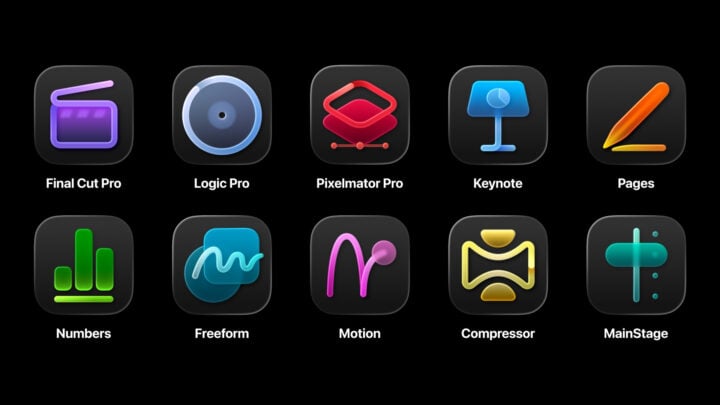
Now, Apple is throwing its hat into the ring. The company recently announced Apple Creator Studio, a subscription that includes access to multiple pro-level apps. Final Cut Pro, Logic Pro, and Pixelmator Pro are all included, in addition to several premium features, like a library of royalty-free photos, across Apple’s free apps.
Available from 29 January, Apple Creator Studio costs $19.99 per month, but students get the best deal. University students can subscribe for just $4.99 per month, or $49 per year.
If you don’t want an ongoing subscription, each premium app is also available as a one-off purchase. It’s nice to have the choice.
Llama Life
Another Australian-made app, Llama Life, is a simple yet effective app that acts as a digital Pomodoro timer. When approaching a big project or study session, it helps to break it down into smaller chunks, which is where Llama Life comes in handy.
Simply add in the individual tasks you want to complete, how long you want to work on them, and hit start. It’ll play some relaxing soundscapes to help you stay on task, and then ding when it’s time to take a break.
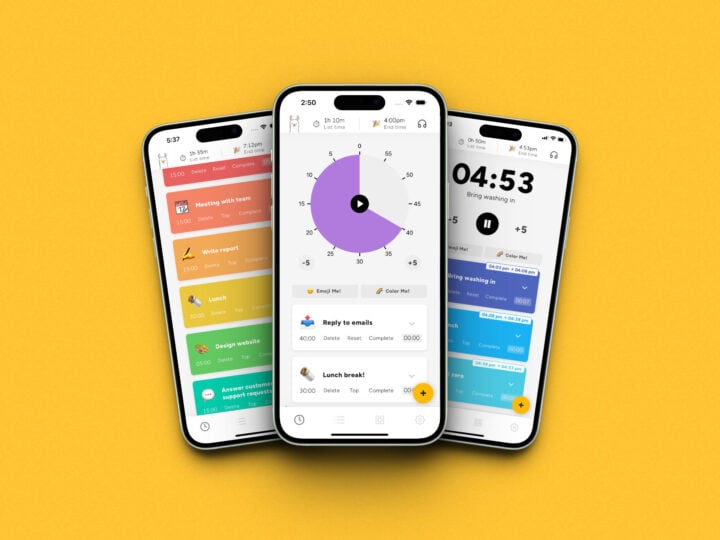
I’ve used Llama Life on and off for a few years; it’s a good way to visualise how long a bigger task will take, while keeping you accountable. Primarily aimed at people with ADHD, it’s just as helpful for anyone who needs a hand staying on task.
There are some good alternative ADHD-friendly task planners, too, including Tiimo, which won Apple’s iPhone App of the Year in 2025.
Freeform
Another free Apple app, I don’t think Freeform is talked about enough. It’s a digital whiteboard with a lot of functionality that makes it easy to collaborate with others on shared projects. Or to catch up on the lore of Elden Ring, which is what my partner did once.
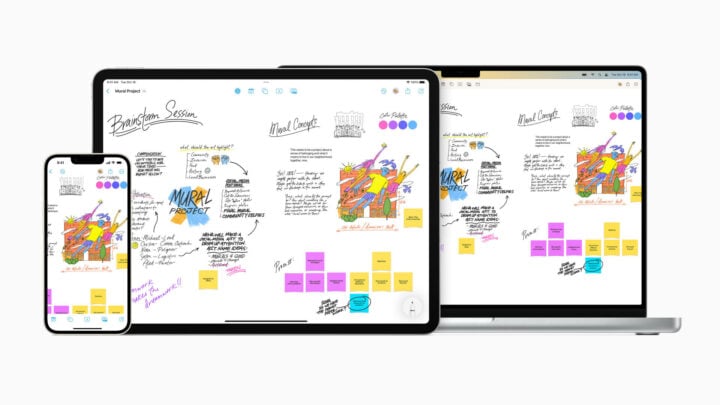
What makes it such a versatile app is the flexibility to insert text, images, documents, links, and format them however you like. It’s a great visualisation tool, acting as a moodboard or a near-limitless planner that visually displays your thoughts.
You could use Freeform to plan school projects, draft a shot list for filming, or document inspiration for an art piece. Really, the main limitations are those you place on it.
Any cloud storage app of your choice
Let my clumsiness be a lesson to you all: back up your work regularly. An incident between a MacBook and a leaky water bottle left me with the equivalent of a fancy paperweight. Had I not set up automatic cloud backups, I would’ve been in real strife.
No matter your field of study, or what device you’re using, pick a cloud backup service and stick with it. Apple’s iCloud service is pretty good for device backups, but a lot of schools and universities use either Microsoft OneDrive or Google Drive for file sharing. Dropbox is another popular alternative.
You can’t go too far wrong with any major cloud storage service, as long as you commit to using it. Keep a physical backup, too, on either a USB drive or an external storage device. Your future self will thank you when an accident happens.