
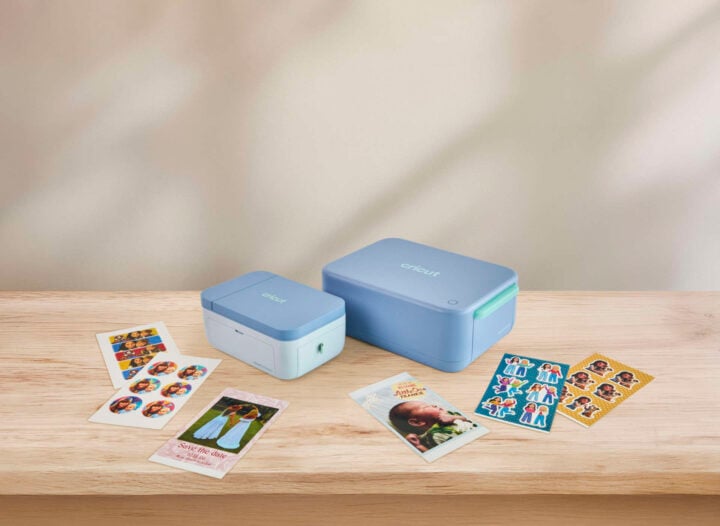
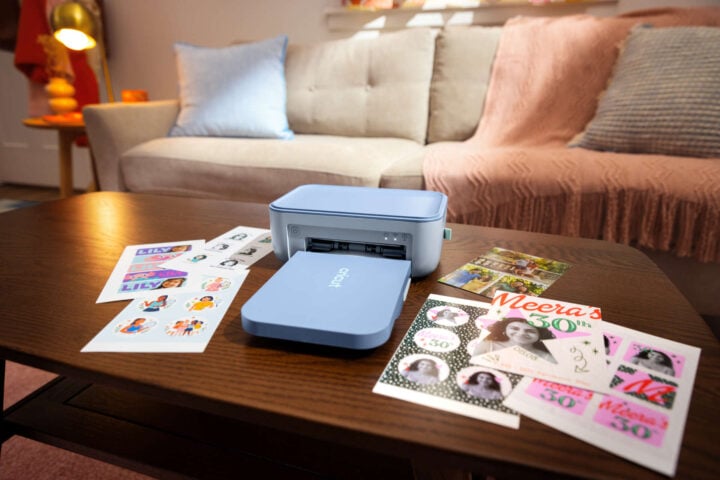
Cricut is having a big September, with a whole slew of announcements. Its latest (and arguably most exciting) launch is the Cricut StickerPix range. With a more singular focus, it can print photos, stickers, and more, just from the pictures on your phone’s camera roll.
Earlier in the month, the Cricut announced the Cricut Maker 5, a small upgrade that made cutting a bit faster and added the ability to cut 3mm-thick materials, while downgrading the design to match the Explore 5. Cricut also announced a bunch of new, shiny materials and tools.
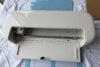
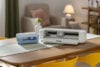
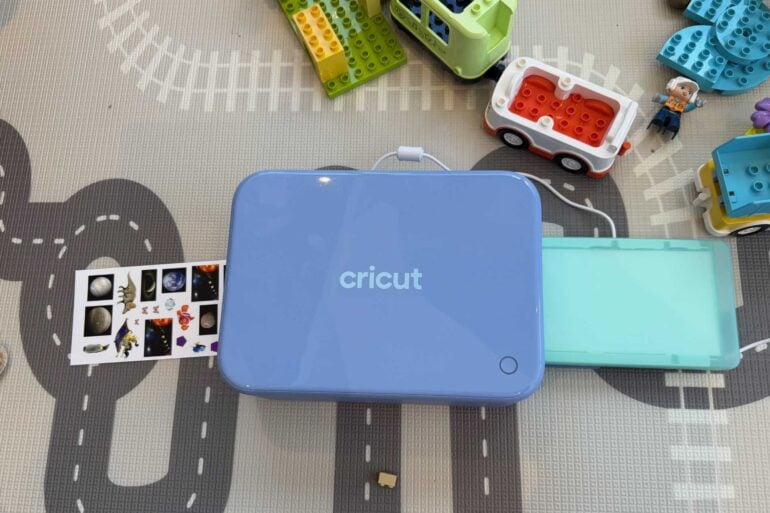
But I’m most excited by the Cricut StickerPix machines, an entirely new range for the brand. I’ve had the StickerPix Print + Cut for the last month, and I am really enjoying how easy it is to make your own stickers. The other device in the range, the StickerPix Print, is the same basic idea, but it doesn’t cut (as the name suggests). Instead, it just prints onto pre-cut sheets.
Cricut StickerPix versus the Cricut Maker 5
Cricut’s new range is clearly designed for people who like the idea of the brand’s creative devices, but are daunted by how many things you can do on one of the regular cutting machines. As someone who makes a lot of stickers on my Cricut Maker 5, I also see the StickerPix Print + Cut as a great machine for people who never want to have to stick down the lamination sheet manually ever again.
The way it works is:
- You find the images you want to make into a sticker (or the photo you want to print).
- Pop them in Cricut Design Space onto the template.
- Press print.
The machine does the work from there, printing in surprisingly high quality, automatically laminating the sticker sheet to protect the ink, and then cutting the stickers with great precision. All you have to do is pick it up at the end and then decide where to stick the stickers (or give them to a toddler and watch on in Millennial horror as they’re just placed willy-nilly).
This is much, much easier than on the Maker 5, where the process is:
- Place the stickers on an A4 template in Design Space.
- Print on my printer.
- Manually stick on the lamination sheet.
- Mess up the lamination sheet the first time because there are too many air bubbles.
- Try to fix the placement, somehow making it worse.
- Print it out again.
- Laminate again, this time slightly better but still not great, but I decide to ignore that because I’ve already spent too much time and materials.
- Place on the cutting mat.
- Put it in the Maker 5 and hope that I’ve correctly calibrated it this time.
- Carefully remove the cut sheet of stickers from the mat, hoping that the kiss cut pressure was okay so the stickers are cut out in a way that makes them easy to remove.
- Have fun with the stickers.
Don’t get me wrong, I absolutely love the Maker 5. It’s a constant companion that I use all the time, and it’s still very easy to operate once you adjust to it; it’s just striking how much easier the StickerPix Print + Cut is for people who just want to make stickers. Having the lamination roller included with the ink cartridge is an absolute game-changer for those of us who are just bad at applying lamination sheets.
The machine’s design is really clever, too. It’s relatively small and easy to store, with the refillable paper tray able to be recessed in the machine for storage and easily pulled out for use.
What to keep in mind
There are only two things I really don’t like. The first is the focus on using generative AI to make the stickers. You can, of course, still use your own photos and designs for the stickers, but Design Space really pushes you to use generative AI to turn your photos and artwork into something else, or to just straight up generate slop.
This seems like a really misguided move for a platform that is supposed to support artists, given how much generative AI steals from and attempts to devalue actual artists. I understand I am fighting a losing battle on this, but that doesn’t mean it’s not a hill worth dying on.
The other thing that is suboptimal is the price. The StickerPix Print + Cut machine itself is $469 (the StickerPix Print is just $289), which is more expensive than a Cricut Explore 5 cutting machine ($449), which is capable of doing a lot more. You would have to be really dedicated to stickers and stickers alone to justify that kind of expense.
The ongoing costs are also quite high, though more reasonable, with a pack of 72 sticker sheets and two ink refills retailing for $84.95, which is $1.18 per sheet. Given the price of printer ink and regular Cricut sticker sheets, I’m not as mad at that. With the photo refill (which includes 72 sheets and two ink refills) being $69.95, or 97c per photo, that is certainly more expensive than going to a Kmart photo printer, but much cheaper than maintaining a home photo printer where the paper can be even more expensive.
Having fun with stickers
All that said, the stickers come out looking professional, almost as though I went out and bought sheets of stickers themed specifically to my daughter’s favourite things (I find I’m pulling it out for her most days to make planet and fish stickers).
I think the Cricut StickerPix Print + Cut would be great to have at a wedding so people could print out photos of themselves at the event and add them to a memory wall or book. It would also be a fun activity at a children’s party. Artists at market stalls could print stickers for customers on demand, right in front of them.
If you can get past the price, and really want to print stickers and photos, without any of the other creations Cricut machines can make, it’s a fantastic machine that will be in Australian stores from 15 October.