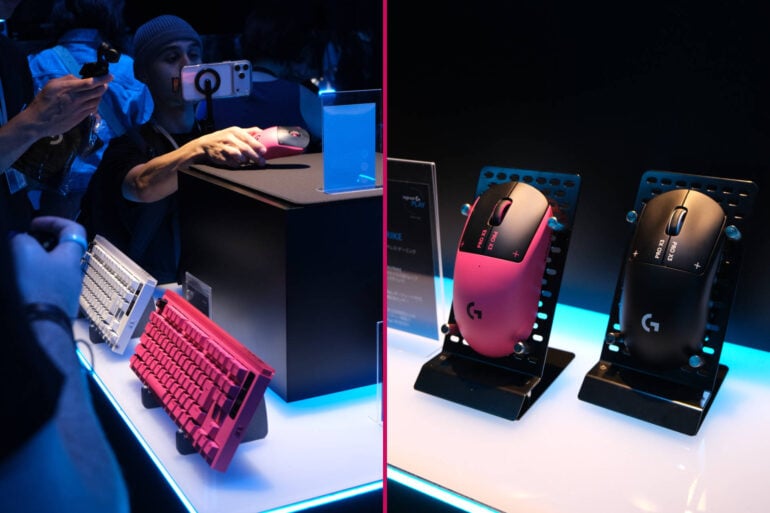

I’m a sucker for a fancy version of a thing. I’m a terrible photographer, but I want the pro version of the phone to try to lift my bad photos to something a little better. I’m hardly an endurance athlete; the furthest bike ride I’ve ever done is just a little over 100km, but I still want the Ultra Watch just in case I actually do that 250km ride I’ve been talking about.
The same goes for gaming gear: I play a lot of games, and although I’m an average player at best these days, I still want the best gear so I can get any advantage I can. High-end gaming gear also generally has more customisable options that can better suit my play style.
This latest range of Logitech G products fits into that category. They’re designed for and with the best esports players in the world. Their purpose is to give the best of the best minute advantages to try and get an edge on their similarly (almost) superhuman opponents. Plus, this gear is available in stores to help the next generation of players use premium gear, as well as the last generation of players who dream of one day being kind of okay at games.
I went hands-on with the new range in Tokyo a couple of weeks ago, and here are my thoughts on everything new for Logitech G.
Pro X3 Superstrike Gaming Mouse
As the name suggests, this $299.95 mouse is the next generation following the Pro X2 Superstrike from earlier this year. The previous generation helped esports professionals break records for fastest accurate clicking, which is apparently a real record that can be broken.
As someone who is not an esports professional and who sucks at accurate fast clicking, what I liked was how responsive and comfortable the latest Pro X3 Superstrike is. While I generally prefer a heftier mouse, I found this one comfortable to hold. It is also shocking how light it is, despite the 50% extra battery life over the previous generation. The clickiness is also just really satisfying. People who love a light mouse and want the best will really enjoy this deeply fancy mouse.
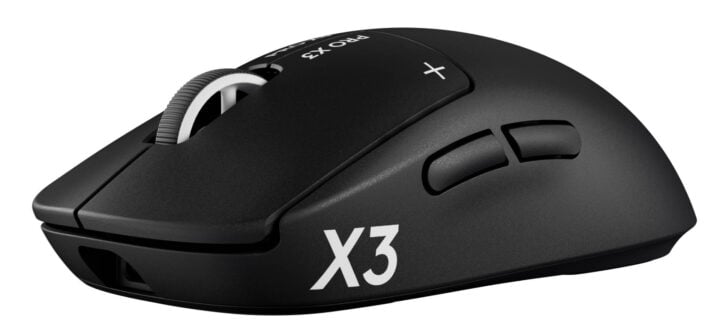
The headline feature, according to Logitech, is that moving the balance more towards the centre shaved off a further two grams from the mouse’s weight. I will admit that I did not notice the loss of two grams. The increased polling rate of 8,000 and lower latency due to the new chipset, however, was a bit more apparent. The 48k DPI is way overkill for most normal people, while the 105-hour battery life means you will rarely have to plug it in.
Pro X Control Mousepad
Of course, a fancy mouse needs a fancy mousemat, and this one (priced at $99.95 in Australia) uses a brand new type of knitted cloth to reduce resistance for better omnidirectional glide. It’s a really interesting fabric, and I’m curious to see how else it can be used, because it seems like it could be a cool kind of weave to make sensory-friendly clothes out of.
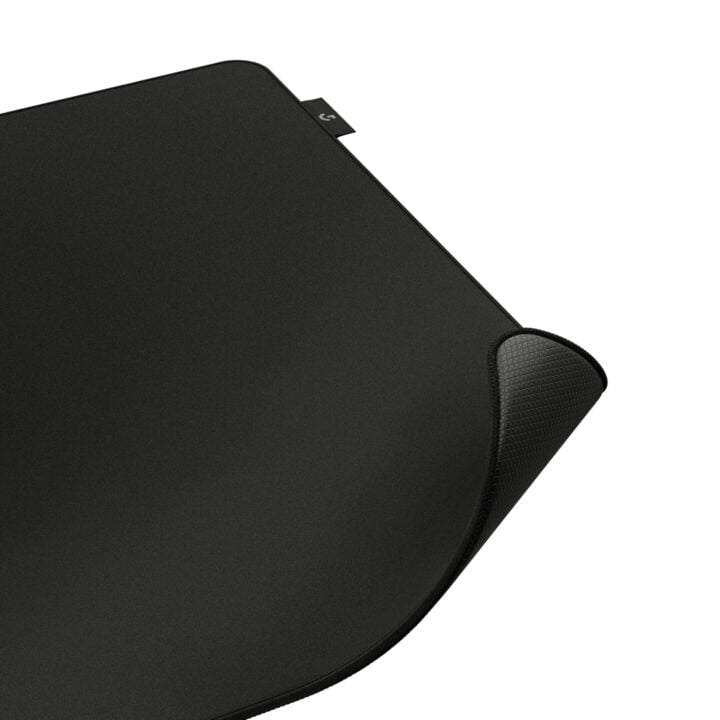
This different type of knit means that the mouse has a more balanced omnidirectional glide. Once again, I am not enough of an esports pro to really feel a major difference in my game, but I did notice that it felt different when moving the mouse in a circle compared to more traditional weaves. The high-friction base also meant that the mat didn’t move even when I was really trying to disturb it, which was nice.
Pro X2 Rapid Gaming Keyboard ($399.95 AUD)
The headlines here are that it has rapid trigger, 8kHz scan and USB polling rate, with adjustable actuation and customisation options. What this means in simpler terms is that it sends the information to the computer really quickly, so you don’t have to factor hardware lag into your reaction times. It’s the sort of thing that’s important for The Youth and professionals who have fast reaction times.
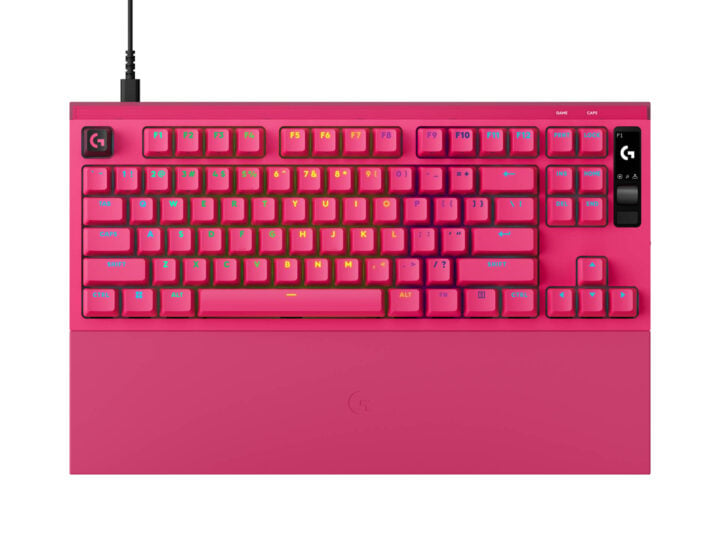
For older, slower gamers and typers, the important part is the adjustable actuation point. You can set how far down you have to press a key before it registers. This can be useful in a few different ways:
- If there’s a button you need to press a lot for, say, an MMORPG, you can make it so you don’t have to press it as hard for it to trigger, making it easier to press repeatedly.
- If there’s a key you keep pressing accidentally because it’s between two keys you need a lot in your game, you can make its actuation point a lot deeper than the ones you need more often so the accidental keystroke doesn’t mess up whatever you were trying to do.
- You can then also adjust the actuation of various keys for different tasks to make it more comfortable for you to type, game, edit, create, or whatever you do on your computer, and you can save those different profiles.
From a hands-on perspective, I love the pink, but I found the foam dampening in the keys to be a little fatiguing. Luckily, if I adjust the actuation, that fatiguing factor becomes less of a problem.
Pro X3 Lightspeed Gaming Headset
Logitech’s headsets are always solid, and this $449.95 headset is no different. The 50mm graphene drivers really reduce any distortion, and the microphone seems to have good clarity (but, of course, I have not yet taken it through its review paces).
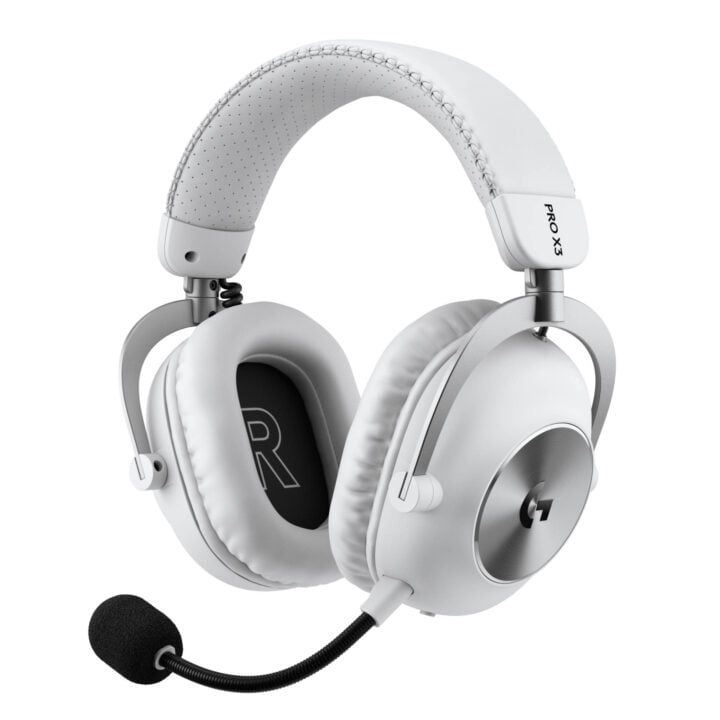
Being PC, Mac, and PS5-only for Lightspeed connection is an interesting choice, but it has Bluetooth for Switch and mobile, covering everything except Xbox gamers.
Blue Yeti 2
I fully admit that my entire body cringed when I saw that the second generation of this truly iconic USB microphone was going to be packed full of AI. However, it turns out it’s packed with the useful machine learning kind and not the “steal everyone’s labour and repackage it worse” kind, and so we can all breathe a sigh of relief.
Like every other tech journo, I loved the Blue Yeti when it first came out a little over a decade ago. From what I could gather from my brief time with it, the $249 Blue Yeti 2 is like the original, only better, and it can automatically detect how close you are to the mic and how many people are talking into it.
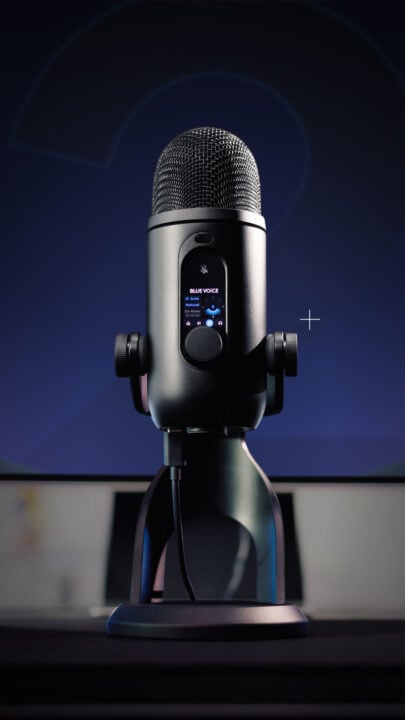
When used on a Windows PC, there’s software that can automatically remove keyboard clicks and other unwanted sounds from the background, just like SteelSeries. Plus, it has a little screen on the mic to display a mascot, and it’s so unnecessary and adorable.
I’m really looking forward to recording an episode of my podcast on it next week and will report back on the quality in a “professional” context (those who have listened to my Sapphic AV Club podcast will understand why “professional” has earned its scare quotes).
Astro A50 X Mars Red Edition
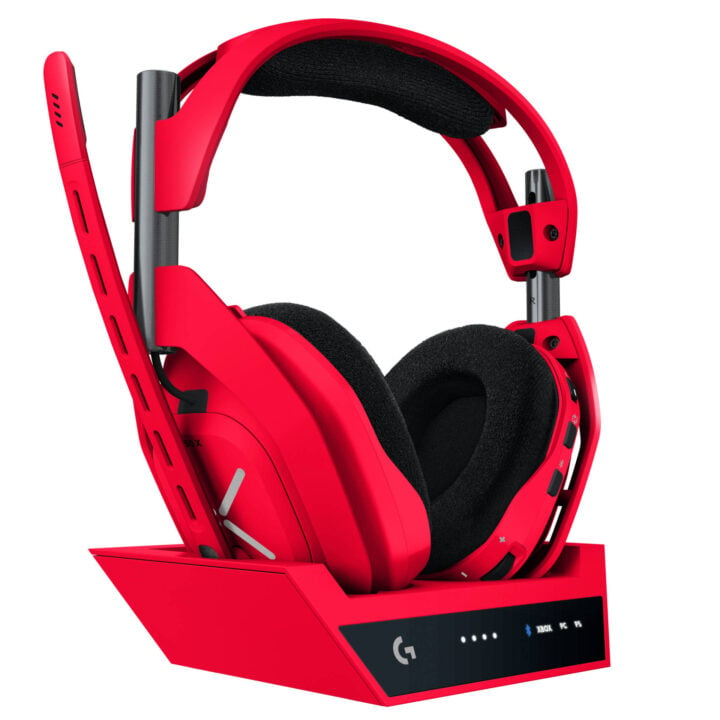
You can read my previous review of the original Astro A50 X, though apparently there have been quite a few tweaks made over the years since it was first released. I love the idea behind this headset, and it’s a great setup for a lot of people. What’s most important, though, is that I love this red. This is a beautiful red. Shoutout to the niceness of this red. I want one. I’ll have to pay $749 for the privilege, though.
G316 X 75 keyboard
On the more affordable end of the scale ($169, to be precise), this 75% keyboard just feels so good to type on, and leaves plenty of room on a smaller desk. It’s so tactile and just feels good. Also, more importantly, the lilac colour is so pretty with those red highlights.
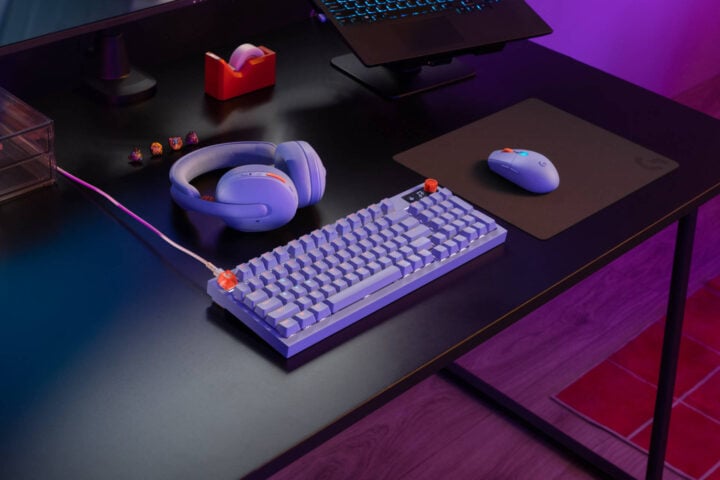
It’s also available in a 98% version with a numpad, which is my preferred model.
G-Keycaps
I loved these keycaps. They were so cute, and there really was something for everyone to customise their keyboard setup. We spend so much time on our keyboards that I think it’s so important people make them their own. Logitech hasn’t confirmed the Australian pricing yet, so stay tuned.
G305 X Superlight
Perfectly matched to the G316 X 75, this is the super-light $149 mouse for gamers who want something light and reasonably fancy, but acknowledge that their skills, potential and budget aren’t quite up to what the Pro X3 Superstrike has to offer.
It’s light, it still has a 44K sensor and up to 130 hours of battery life, and it’s a bit smaller in the hand, making it better suited to younger and smaller gamers. I found it felt a little small in my (admittedly large) hands, but my (shorter) wife found it to be a much better fit.
G502 X Plus
On the opposite end of the size spectrum is the $299 G502 X Plus. I love this mouse for so many reasons:
- It is extremely comfortable. It’s like the gaming version of the brilliant MX Master mouse, with more gaming-focused shortcut buttons.
- The colour scheme is spectacular. It’s so fun and really pops. I love the blend of metallic blood red with royal purple and black, plus the RGB lighting. It sounds like it should be too much, and yet it somehow looks sophisticated.
- It has a bit more heft to it, which I find a lot more comfortable
- It still has the 44K sensor and a lot of the fancy features of the Pro X3 Superstrike, but then it also has the shortcut buttons for MMO players and editors.
- It’s quite tactile, which I find really satisfying to play with.
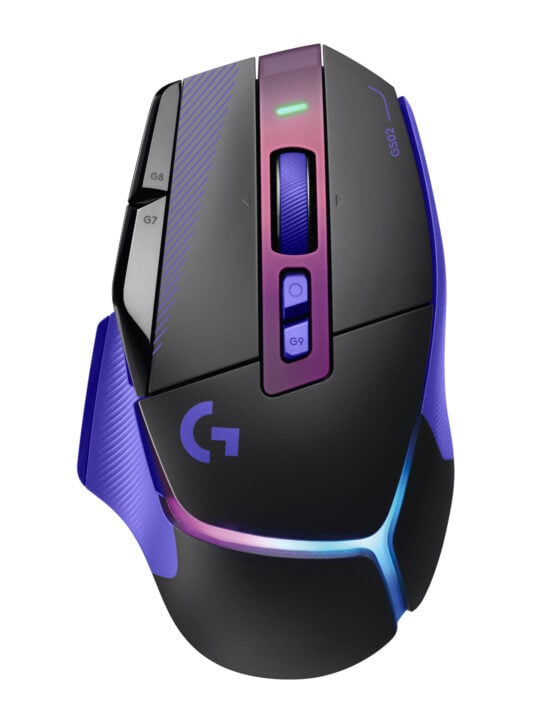
Again, I haven’t been able to do a deep-dive review on it yet, but in the short time I have spent with this mouse, I have been more accurate and more comfortable than I usually am with other gaming mice, and that’s a great sign.
RS50 McLaren Racing Edition and RS Pedals SE
I’m going to be real with you; I am not a good person to judge a sim racing rig. Don’t get me wrong: I love racing games, and I have used dozens of rigs over the years; I am just very bad at racing in a rig. I have driven a lot of supercars in my time, and I always find it much easier to drive the real-world car than the rig.
For what it’s worth, I did find the $259 RS Pedal SE to be very responsive, as advertised. The RS50 felt really comfortable, and everything was within reach. Driving with it, I knew the only thing holding me back was skill, rather than tools.
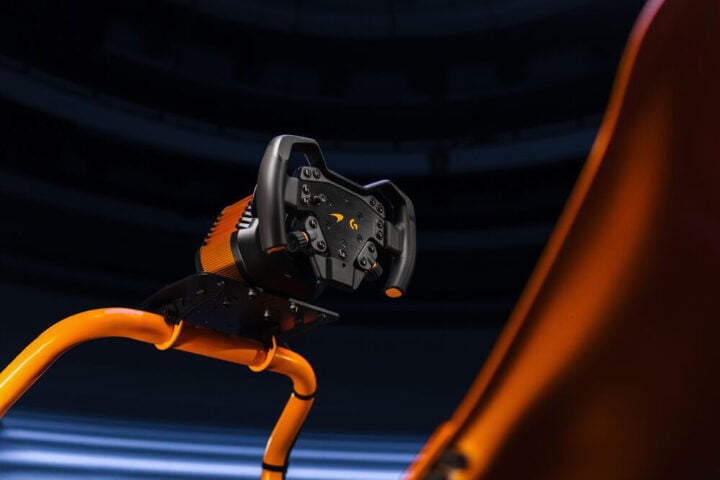
In terms of authenticity, I haven’t driven a McLaren F1 car for obvious reasons, but I have driven a McLaren Senna a couple of times, and the $1,499 RS50 rig feels very different to the Senna. Not sure if that’s useful, but that’s what I’ve got.
A lot of the products from the Logitech G showcase are already in stores now, with the rest coming before the end of the year.
Alice Clarke travelled to Japan as a guest of Logitech.